What are common DNS vulnerabilities?
The Domain Name System (DNS) is an essential part of how the internet works. It’s like the phonebook for the web, turning easy-to-remember website names into the IP addresses that computers use to communicate. However, just like anything online, DNS has its weaknesses. In this article, we’ll take a simple look at some of the common DNS vulnerabilities and how you can protect yourself from them.
What is DNS?
Before diving into vulnerabilities, let’s quickly recap what DNS does. Whenever you type a website address, like “google.com,” your computer asks a DNS server for the website’s IP address. Once the server responds, your browser can connect to the site. But what happens if something goes wrong with this process?
Common DNS Vulnerabilities
Here are some of the most common vulnerabilities you might encounter with DNS:
1. DNS Spoofing (Cache Poisoning)
DNS spoofing happens when an attacker tricks a DNS server into storing false information. This means the server sends you to the wrong website when you try to visit a legitimate one. For example, you might think you’re visiting your bank’s website, but instead, you’re sent to a fake site designed to steal your personal information.
How to Protect Against DNS Spoofing:
- Use DNSSEC (DNS Security Extensions) to ensure the data from your DNS server is authentic.
- Keep your DNS servers updated with the latest security patches.
- Consider using a trusted DNS provider with extra security features.
2. DNS Amplification Attacks
This type of attack happens when an attacker uses public DNS servers to flood a target with massive amounts of data. By sending small requests to a server, the attacker can get a much larger response, overwhelming the target with traffic. This is called a denial-of-service (DoS) attack, which can shut down websites and services.
How to Protect Against DNS Amplification Attacks:
- Use firewalls and anti-DDoS (Distributed Denial-of-Service) tools to filter malicious traffic.
- Make sure your DNS servers do not respond to requests from unknown sources.
3. DNS Tunneling
DNS tunneling occurs when attackers use DNS queries to send data that isn’t related to DNS itself. This can be used to bypass firewalls or steal sensitive information by disguising it as regular DNS traffic. It’s like smuggling information through a secure system without detection.
How to Protect Against DNS Tunneling:
- Monitor DNS traffic for unusual patterns or suspicious activity.
- Use tools that analyze DNS queries to ensure that no unexpected data is being sent.
- Block DNS queries to known malicious IP addresses.
4. Man-in-the-Middle (MITM) Attacks
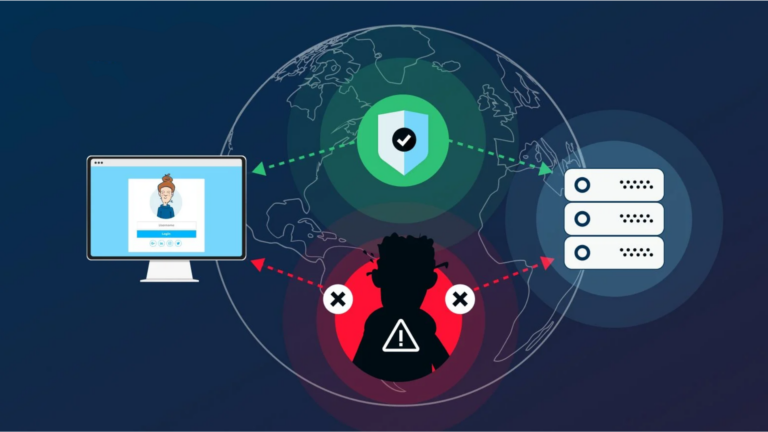
In a Man-in-the-Middle attack, hackers intercept and possibly alter the communication between your device and the DNS server. This allows them to inject malicious code, redirect you to harmful websites, or steal sensitive information.
How to Protect Against MITM Attacks:
- Use HTTPS (secure web browsing) to encrypt the connection between your device and websites.
- Ensure that DNS servers use DNSSEC for added security.
- Be cautious when using public Wi-Fi, as it’s easier for attackers to intercept traffic on these networks.
5. DNS Server Misconfigurations
Sometimes vulnerabilities come from mistakes made while setting up DNS servers. Poor configuration can make DNS servers more susceptible to attacks. If DNS servers are not properly set up, they might allow attackers to bypass security features or gain unauthorized access.
How to Protect Against DNS Misconfigurations:
- Regularly review DNS server settings to make sure they follow best practices.
- Set up access control to limit who can make changes to your DNS records.
- Monitor your DNS servers for unusual behavior and logs that might indicate unauthorized access.
6. Domain Kiting and Domain Hijacking
Domain kiting happens when someone repeatedly registers and drops a domain name to get around registration fees. Domain hijacking is when someone takes control of a domain name by gaining access to the account managing it. These attacks can lead to unauthorized changes in website ownership or services being taken offline.
How to Protect Against Domain Kiting and Hijacking:
- Use a reputable domain registrar that has strong security measures.
- Enable two-factor authentication (2FA) for your domain registration account.
- Lock your domain to prevent unauthorized changes.
How to Protect Your DNS
Now that we’ve covered the vulnerabilities, let’s talk about how you can protect your DNS:
1. Use Secure DNS Servers
There are many free and paid DNS services that offer enhanced security. Using a secure DNS service can help protect against some of the attacks we’ve mentioned. Popular services like Google Public DNS or Cloudflare’s DNS provide faster and more secure browsing.
2. Enable DNSSEC
DNSSEC adds a layer of security to DNS by verifying that the information you receive from DNS servers is authentic. It prevents attackers from poisoning the cache with false information. Make sure your DNS provider supports DNSSEC and that it’s activated.
3. Keep Your Software Updated
Security patches and updates are essential to protecting your DNS servers. Make sure your DNS server software is regularly updated, as these updates often fix known vulnerabilities.
4. Monitor DNS Traffic
If you have control over a DNS server, keep an eye on the traffic it’s handling. Monitoring tools can alert you to any unusual patterns or suspicious activity, allowing you to take action before it becomes a problem.
5. Educate Yourself and Your Team
Sometimes, vulnerabilities happen because people don’t know enough about security risks. Educating yourself and your team about the importance of DNS security can help prevent attacks and protect valuable data.
Conclusion
DNS is an essential part of the internet, but it also has its weaknesses. From DNS spoofing to server misconfigurations, there are several ways attackers can take advantage of it. However, with the right precautions—such as using secure DNS servers, enabling DNSSEC, and keeping software up to date—you can minimize the risk and protect your online activities. Always stay vigilant and proactive when it comes to DNS security!