

What is DNS hijacking and how to prevent it?
When you’re browsing the web, your device uses something called DNS (Domain Name System) to translate website names (like www.example.com) into IP addresses. DNS hijacking happens when a hacker changes this process to redirect you to malicious websites. This can put your personal information at risk and cause a lot of trouble without you even knowing.
In this article, I’ll explain DNS hijacking in simple terms and give you tips on how to protect yourself from it.
What is DNS Hijacking?
DNS hijacking is a form of cyberattack where a hacker takes control of the DNS settings. Normally, DNS helps your device find websites by converting website names into numbers (IP addresses). If a hacker hijacks this system, they can reroute your web traffic to harmful websites. These sites might look normal, but they can steal personal information, infect your device with malware, or trick you into giving up sensitive data.
How Does DNS Hijacking Work?
To understand how DNS hijacking works, imagine you’re looking for a website. Your computer asks the DNS server to help find the address. If a hacker gets into your network, they can change the address that the DNS server provides. Instead of leading you to the site you want, it might send you to a fake version of the site or even a completely malicious one. This can happen without you realizing it.
Signs of DNS Hijacking
Sometimes, it’s easy to spot that something’s wrong with your connection. Here are a few signs of DNS hijacking to look out for:
- Unexpected Website Redirects: You try to visit a website, but you’re taken to a completely different page.
- Slow or Unstable Connection: Your internet connection may become slower, or you may get disconnected often.
- Unfamiliar Pop-ups or Ads: Seeing pop-ups that weren’t there before, especially if they seem strange or malicious, could be a sign.
- Security Warnings: You might receive warnings that a website is unsafe, but it doesn’t seem right.
How to Prevent DNS Hijacking
While DNS hijacking can be scary, there are steps you can take to protect yourself and your devices. Here are some easy-to-follow tips:
1. Use a Trusted DNS Provider
The easiest way to avoid DNS hijacking is to use a trustworthy DNS provider. Many internet service providers (ISPs) offer their own DNS, but you can choose a third-party provider that is known for being secure, such as Google’s DNS (8.8.8.8) or Cloudflare’s DNS (1.1.1.1).
2. Enable DNSSEC (DNS Security Extensions)
DNSSEC adds an extra layer of security by verifying the authenticity of the response from a DNS server. This helps ensure that your device isn’t being misled by false information. You can check if your ISP or DNS provider supports DNSSEC and enable it for extra protection.
3. Keep Your Devices Updated
Regular software and firmware updates are key to protecting your devices from any kind of attack, including DNS hijacking. Updates often include security patches that fix vulnerabilities hackers can exploit.
4. Use a VPN (Virtual Private Network)
A VPN encrypts your internet connection, making it much harder for hackers to intercept or manipulate your data. It’s a great way to add an extra layer of security, especially when using public Wi-Fi.
5. Change Default Router Passwords
Your router is a key part of your home network’s security. Many routers come with default passwords, which are easy for hackers to guess. Make sure to change the default password to something strong and unique. This makes it harder for hackers to gain access to your router and tamper with your DNS settings.
6. Be Cautious About Phishing Attempts
Hackers can sometimes trick you into clicking on fake links that lead to malicious websites. Be careful with emails or messages from unknown sources, especially if they ask you to click on a link or download something. Always double-check the website’s URL before entering sensitive information.
7. Use Anti-Malware Software
Good anti-malware software can help detect and block malicious activity, including DNS hijacking attempts. Keep it up to date, and run regular scans to protect your devices from threats.
Conclusion
DNS hijacking might sound complex, but it’s actually something that can happen to anyone using the internet. The good news is that it’s easy to protect yourself with a few simple steps. By using a trusted DNS provider, securing your router, and staying cautious online, you can reduce the risk of falling victim to DNS hijacking.
Just remember, the key to online safety is staying informed and taking action before a threat can cause harm. Keep your devices updated, use strong passwords, and always double-check what you click on.
guiadenoivos.saojosedojardimeuropa.com.br
beyond.globalpranichealing.com/about/
ejournal.akbidbungabangsaaceh.ac.id
Similar Posts
How do I check my DNS settings on a Mac?
If you’re having trouble connecting to the internet or certain websites load slowly, your DNS settings might be the issue. DNS (Domain Name System) helps your computer find websites by translating domain…

What is a CNAME flattening in DNS?
When setting up a website or online service, you might come across something called CNAME flattening. This can sound complicated, but it’s actually a simple concept that helps websites load faster and…
How does DNSSEC prevent spoofing attacks?
Introduction The internet relies on the Domain Name System (DNS) to connect users to websites. However, DNS is not secure by default. Cybercriminals can manipulate it to redirect users to fake websites,…
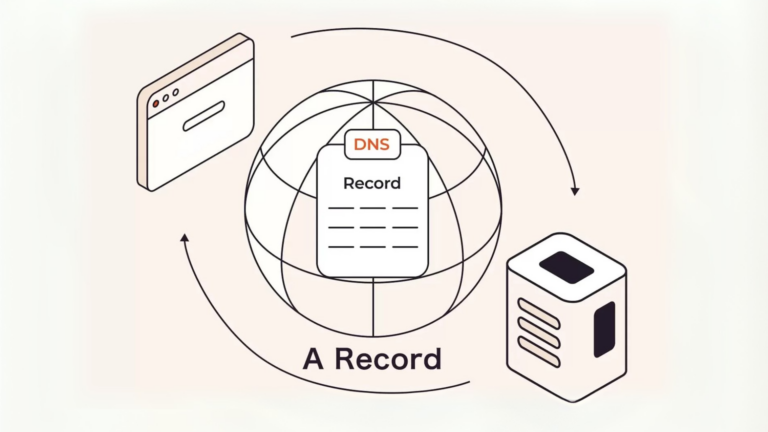
How do I verify my DNS records?
If you have a website or manage a domain, you may have heard about DNS records. But what are they, and why is it important to verify them? In this article, we’ll…
What are DNS glue records?
When setting up a website, domain names, and hosting, you may come across the term “DNS glue records.” If you’re not familiar with this, don’t worry. This article will explain what they…

How do I configure DNS for multiple domains?
Setting up DNS (Domain Name System) for multiple domains might seem tricky, but with the right steps, you can manage it efficiently. This guide will walk you through the process in a…