How to test if my DNS is working?
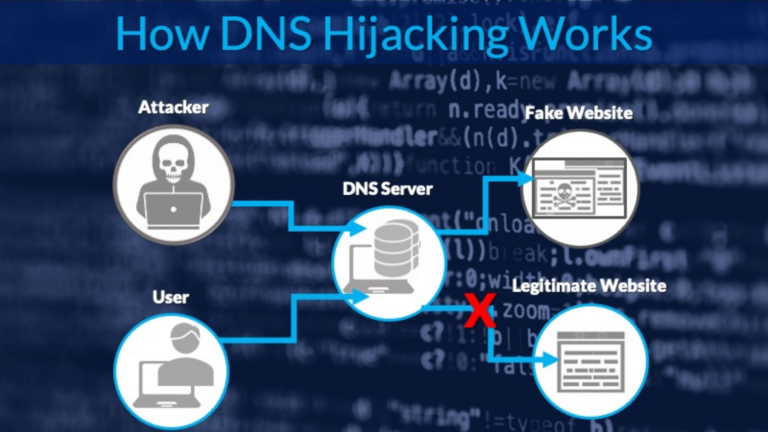
If you’re having trouble connecting to websites or your internet feels slower than usual, the issue might be with your DNS (Domain Name System). DNS acts like a phone book for the internet. It translates website names (like www.google.com) into IP addresses that computers understand. If your DNS isn’t working properly, it can disrupt your browsing experience. In this guide, I’ll explain how you can check if your DNS is working correctly using simple steps.
1. Check Your Internet Connection
Before testing your DNS, make sure your internet is working. Here’s how to check:
- Open a web browser and try visiting a well-known website, like www.google.com.
- If the page doesn’t load, try connecting to another Wi-Fi network or restart your router.
- If the issue persists, your internet connection may be down, not your DNS.
2. Test Using the Command Prompt (Windows)
One quick way to test your DNS is by using the Command Prompt. Here’s how:
- Press Windows Key + R, type
cmd, and press Enter. - In the Command Prompt, type the following command and press Enter:
nslookup www.google.com- If the DNS is working, you’ll see an IP address in the response. For example:
   Name:    www.google.com
   Address: 142.250.190.78
If it says “server can’t find” or “timeout,” your DNS might not be working properly.
3. Test on macOS or Linux
If you’re using macOS or Linux, you can test DNS with the Terminal app:
- Open the Terminal (search for “Terminal” in Spotlight on macOS).
- Type the following command and press Enter:
nslookup www.google.com- If you see an IP address in the response, your DNS is working. If not, there might be an issue.
4. Use a Public DNS Server
Sometimes, your default DNS (provided by your internet provider) might not work properly. You can test with a public DNS like Google’s DNS or Cloudflare’s DNS:
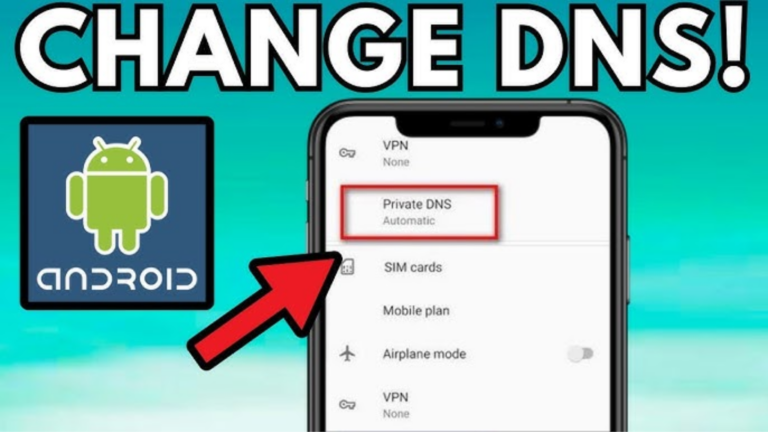
- Change your DNS settings to:
- Google DNS:
8.8.8.8and8.8.4.4 - Cloudflare DNS:
1.1.1.1and1.0.0.1
- Restart your browser and try visiting a website.
- If the website loads, the problem was with your original DNS.
5. Ping a Website’s IP Address
You can also check if DNS is the issue by pinging a website’s IP address directly:
- Open the Command Prompt or Terminal.
- Type the following command and press Enter:
ping 142.250.190.78(This is Google’s IP address.)
- If you get a response, your internet is working, but DNS may be the problem. If there’s no response, the issue is likely with your internet connection.
6. Use Online DNS Testing Tools
Several online tools can help you test your DNS. Here are a few you can try:
- DNS Checker (dnschecker.org): Checks if a domain is resolving correctly across multiple DNS servers.
- Google Dig Tool (toolbox.googleapps.com): Provides detailed DNS resolution information.
Simply enter the domain name (e.g., www.google.com) into the tool and check the results.
7. Restart Your Router or Device
If you suspect DNS is the problem, restarting your router or device can often fix the issue:
- Turn off your router and unplug it for 30 seconds.
- Turn it back on and wait for the internet connection to stabilize.
- Check if your DNS is working by visiting a website.
8. Check Your DNS Settings
Sometimes, incorrect DNS settings on your device can cause issues. Here’s how to check and update them:
- Windows:
- Go to Control Panel > Network and Internet > Network and Sharing Center.
- Click on your connection (e.g., Wi-Fi), then click Properties.
- Select Internet Protocol Version 4 (TCP/IPv4) and click Properties.
- Ensure DNS is set to “Obtain DNS server address automatically” or manually enter public DNS like Google’s.
- macOS:
- Go to System Preferences > Network.
- Select your connection and click Advanced.
- Under the DNS tab, check or update your DNS servers.
Conclusion
Testing your DNS isn’t as complicated as it sounds. With simple tools like Command Prompt or online testing services, you can quickly identify if DNS is causing your internet issues. If you find that your DNS isn’t working, switching to a public DNS server is a reliable solution. Remember to check your internet connection first to rule out other problems. If issues persist, contact your internet service provider for further assistance.