How to monitor DNS changes?
DNS, or Domain Name System, acts as the phonebook of the internet. It helps translate domain names like “example.com” into IP addresses so your browser can load the right website. Keeping track of DNS changes is essential, especially if you manage a website, because changes can impact website availability, security, and functionality.
This guide will explain how to monitor DNS changes in a simple and straightforward way. By the end, you’ll understand why monitoring DNS is important and how to do it effectively.
Why Should You Monitor DNS Changes?
Monitoring DNS changes is critical for several reasons:
- Website Uptime: If DNS records are changed accidentally or maliciously, your website may go offline.
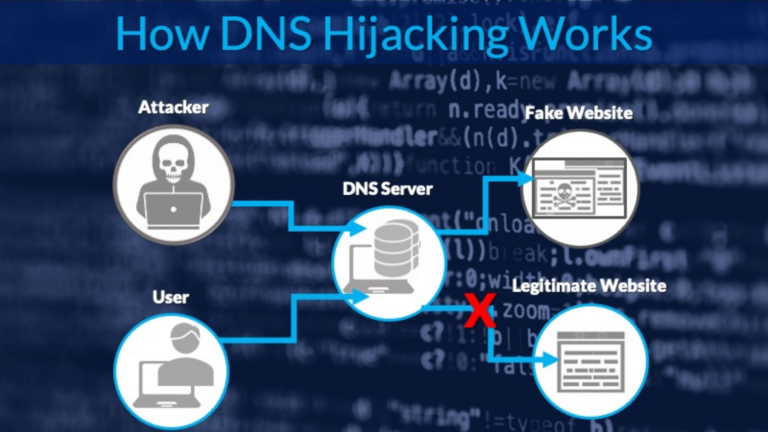
- Security: Unauthorised changes could indicate a cyberattack, such as DNS hijacking.
- Error Prevention: Early detection of DNS changes helps prevent misconfigurations from causing issues.
- Compliance: Some organizations are required to monitor DNS for regulatory purposes.
Types of DNS Records to Monitor
Here are the key DNS record types you might need to keep an eye on:
| Record Type | Purpose |
|---|---|
| A | Maps a domain to an IPv4 address. |
| AAAA | Maps a domain to an IPv6 address. |
| CNAME | Redirects a domain to another domain. |
| MX | Specifies mail servers for a domain. |
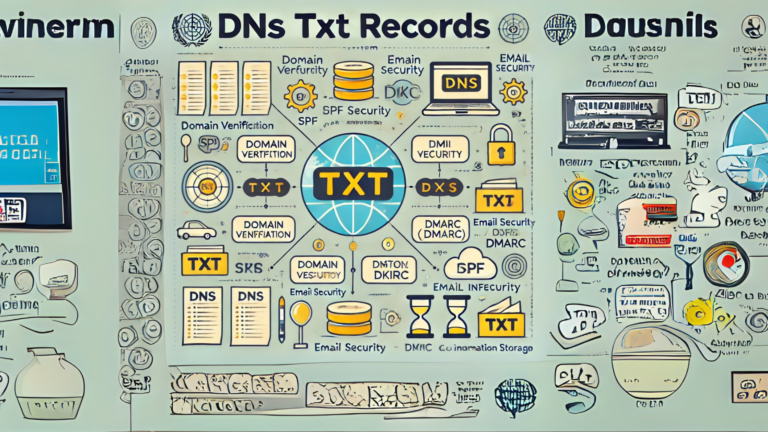
| TXT | Holds text information, often for verification or security purposes. |
| NS | Indicates which servers are authoritative for the domain. |
Tools for Monitoring DNS Changes
You don’t have to manually check DNS records every day. There are tools available that can help you monitor changes automatically:
- Online Services
- Services like DNS Spy, Site24x7, or Pingdom can monitor DNS and notify you of changes.
- Command-Line Tools
- Use
digornslookupto manually query DNS records. While not automated, these tools are free and useful for spot-checking.
- Custom Scripts
- If you’re tech-savvy, you can write scripts to compare current DNS records with a saved version. Use programming languages like Python and libraries like
dnspython.
- Web Hosting Providers
- Some hosting providers offer built-in DNS monitoring as part of their services.
Steps to Monitor DNS Changes
Here’s how to get started with monitoring DNS changes:
1. Identify Critical Records
- List the DNS records that are essential for your website or application to function. Focus on records like A, CNAME, MX, and TXT.
2. Set Up Alerts
- Use an online monitoring tool or your hosting provider to set up email or SMS alerts. This ensures you’re notified immediately if a change occurs.
3. Keep Backups of DNS Records
- Regularly export and save a copy of your current DNS settings. This makes it easier to spot changes and restore settings if needed.
4. Audit DNS Regularly
- Even with automated monitoring, review your DNS records manually from time to time to ensure everything is correct.
5. Secure Your DNS
- Use strong passwords for your DNS management account.
- Enable two-factor authentication (2FA) for added security.
- Consider DNSSEC (DNS Security Extensions) to prevent spoofing.
Example of Monitoring with dig
If you prefer a manual approach, here’s how to use the dig command:
- Open a terminal.
- Type:
dig example.com A(replace “example.com” with your domain). - Look at the output to check the IP address and other details.
- Repeat for other records, like
MXorTXT.
Compare the results with a previous output to spot any changes.
Best Practices for DNS Monitoring
- Check Records After Updates: Whenever you update DNS settings, monitor them closely for the next 24-48 hours.
- Use Multiple Tools: Combine manual checks with automated tools for a thorough approach.
- Train Your Team: Ensure everyone managing DNS understands its importance and knows how to monitor changes.
- Review Permissions: Limit who can make DNS changes to reduce the risk of errors.
Conclusion
Monitoring DNS changes is an essential part of managing a website or online service. It’s not difficult to set up, and doing so can save you from downtime, security breaches, and compliance issues. By using the tools and techniques outlined in this guide, you can stay on top of your DNS records and ensure your online presence remains secure and reliable.